By a travel writer and researcher | Updated October 2026
A map with pins for travel is a custom digital map where you mark places you want to visit. The easiest way to make one is Google My Maps. Sign in, create a new map, search for each place, add it as a pin, and share the link. It is free and works on phones.
You have forty browser tabs open. A friend texted three cafe names. Your notes app is a mess. Sound familiar? Planning a trip should feel fun, not stressful.
A map with pins for travel fixes this problem fast. Every hotel, hike, and restaurant lands in one place. You can see what is close, what is far, and what fits in one day.
This guide shows you how to build one for free. You will learn about Google My Maps, other tools, pin colors, and a full Pakistan example. Read on, and your next trip will feel much easier to plan.
Quick Facts: Travel Maps With Pins
A travel pin map saves time because it puts every stop on one screen. Most tools are free, and most let you share a link. Use this table for a fast overview. Features change, so verify details on each official site.
| Question | Quick Answer |
| Best free tool | Google My Maps |
| Cost | Free with a Google account |
| Best device to build on | Laptop or desktop |
| Best device to view on | Phone (Google Maps app) |
| Can you share it? | Yes, with a link |
| Can you import a list? | Yes, from a spreadsheet |
| Time to make a basic map | About 15 minutes |
Map With Pins for Travel Pakistan
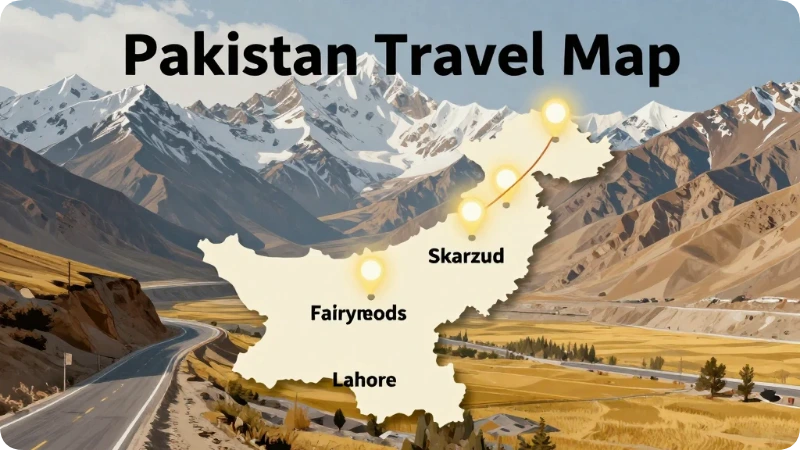
A map with pins for travel in Pakistan helps you plan long drives, mountain stops, and city visits in one view. Pakistan is a big country. Distances are long, and roads in the north can be slow. Pins show you what is realistic for each day.
Start with three regions. Each one gets its own color.
- Northern Pakistan (blue pins): Hunza Valley, Skardu, Fairy Meadows, Deosai National Park, and the Karakoram Highway.
- Central and Punjab (red pins): Lahore Fort, Badshahi Mosque, Wagah Border, and Lahore’s Walled City.
- Capital and hills (green pins): Faisal Mosque in Islamabad, Margalla Hills, Murree, Naran, and Kaghan Valley.
Add a pin for the nearest airport too. Islamabad, Lahore, Karachi, and Skardu all have airports. Then add hotel pins. As a result, you will see how far each stay is from each sight.
Important: Before booking, check the U.S. Department of State travel advisory for Pakistan. Advice can change. Also check road and weather updates, since mountain roads may close.
Google My Maps: What It Is and How to Use It
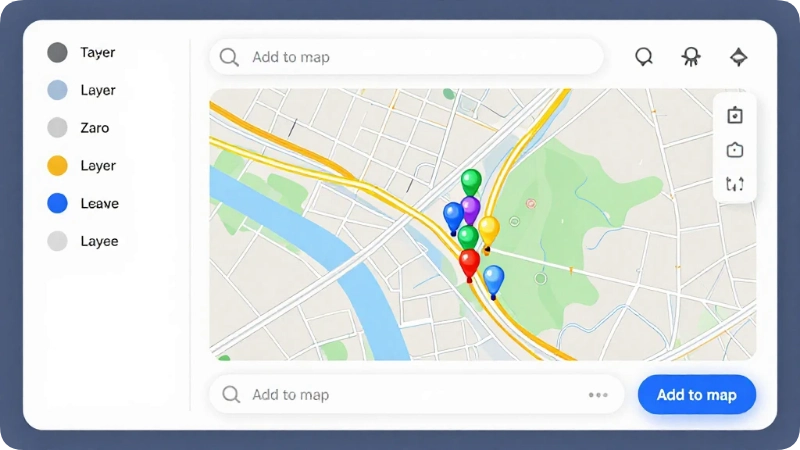
Google My Maps is a free tool from Google that lets you build custom maps with pins, lines, and notes. You can find it at google.com/mymaps. Unlike a basic saved list, it gives you layers, colors, icons, and sharing controls.
Here is the simple process:
- Go to Google My Maps and sign in.
- Click Create a new map.
- Name your map, such as “Pakistan North Trip.”
- Search for a place in the search bar.
- Click Add to map to drop the pin.
- Click the pin to add notes, photos, or links.
- Click Share to send the map to friends.
Google limits how many layers and items one map can hold. Because limits can change, check Google’s help page if your map is very large. In most trips, you will never hit them.
Tourist Map With Pins for Travel
A tourist map with pins for travel shows sights, food, and services in one clear picture. It works best when each pin type has its own color or icon. Then you can scan the map in seconds and know what is what.
Try this simple color system:
- Red: Must-see sights
- Blue: Places to sleep
- Green: Parks, hikes, and nature
- Orange: Food and coffee
- Purple: Transit, airports, and train stations
- Gray: Maybe places
Additionally, add helpful pins that most people forget. These include ATMs, pharmacies, gas stations, and public restrooms. When you are tired and hungry, these pins save the day.
Finally, write a short note in each pin. Include the opening hours, a ticket link, or a reminder like “go early.” Verify hours on the official site, because they change often.
World Map With Pins for Travel
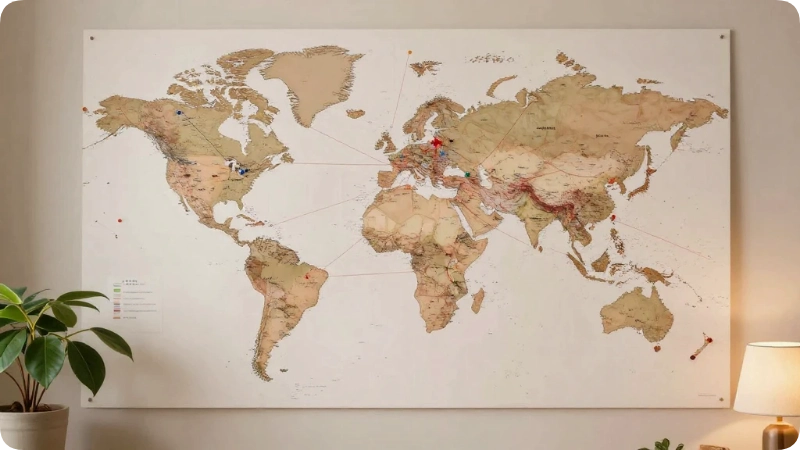
A world map with pins for travel shows every place you have been or dream of going. It serves two purposes. First, it works as a bucket list. Second, it works as a memory board you can proudly show off.
You can make one three ways:
- Digital: Use Google My Maps and zoom out to see the whole globe.
- Wall art: Buy a framed world map and use push pins or stickers.
- App-based: Use a travel tracking app that colors in countries you have visited.
For a digital world map, create two layers. Name the first “Been There” and the second “Dream Trips.” Use green pins for the first layer and gold for the second. Over time, you will see your travel story grow.
Ideas for American travelers: pin the national parks you have seen. The National Park Service lists all U.S. parks, and it is a fun challenge to fill the map.
Google Map With Pins for Travel
You can make a Google map with pins for travel in two ways: Google My Maps or Google Maps saved lists. My Maps gives you more control. Saved lists are faster. Both are free, and both work well on a phone.
Here is how they compare:
| Feature | Google My Maps | Google Maps Saved Lists |
| Custom pin colors | Yes | Limited |
| Layers | Yes | No |
| Draw routes and lines | Yes | No |
| Fast to set up | Medium | Very fast |
| Best for | Full trip plans | Quick favorites |
A smart tip: build your plan in My Maps on a computer. Then open Google Maps on your phone. Your custom maps appear under Saved and then Maps. As a result, you carry the whole plan in your pocket.
Also, download offline maps in Google Maps for areas with weak signal. This matters in mountain regions and national parks.
Create a Map With Pins Free
You can create a map with pins for free using Google My Maps, Google Maps lists, or other free mapping tools. All you need is an account and a few minutes. No design skills are needed.
Here is a free starter plan:
- Make a list of 10 places in a spreadsheet.
- Add columns for name, address, and notes.
- Open Google My Maps and click Create a new map.
- Click Import and upload your spreadsheet.
- Choose the address column to place the pins.
- Choose the name column as the pin title.
- Pick a style by category.
This import trick saves a lot of time. Instead of searching for each place, you add them all at once. If some pins land in the wrong spot, drag them to fix them.
Other free options exist, such as Scribble Maps and MapCustomizer. Free plans vary, so check each tool’s current limits.
World Travel Map With Pins Online
A world travel map with pins online is a web-based map you can edit from any device with a browser. You do not need to download software. Your map saves automatically, and you can share it by link.
When choosing an online tool, ask these questions:
- Is it free, or only free for a short trial?
- Can you import a spreadsheet?
- Can friends edit it with you?
- Does it work on a phone?
- Can you export your data later?
The last question matters most. If a tool shuts down, you do not want to lose years of pins. Google My Maps lets you export a map as a KML or KMZ file, so your data stays yours.
In addition, back up your list in a simple spreadsheet. It takes two minutes and gives you peace of mind.
Free Map With Pins for Travel: Best Tools Compared
The best free map with pins for travel is Google My Maps for most people. It is simple, powerful, and connected to Google Maps. Other tools shine in special cases, such as group planning or day-by-day itineraries.
| Tool | Best For | Cost Note |
| Google My Maps | All-around trip planning | Free |
| Google Maps Lists | Quick saved favorites | Free |
| Wanderlog | Itineraries with maps | Free plan; paid upgrade |
| Scribble Maps | Drawing and custom shapes | Free plan; paid upgrade |
| MapCustomizer | Pasting many addresses fast | Free |
Pricing and plans change often. Always verify on the official site before you rely on a feature.
How to Organize Your Pins So They Make Sense
The best way to organize travel pins is by layers, colors, and short notes. Layers split your map by category or by day. Colors show what each pin means. Notes hold the details you will need later.
Try one of these setups:
- By category: Sights, Food, Hotels, Transport.
- By day: Day 1, Day 2, Day 3.
- By status: Booked, Planned, Maybe.
For trips under a week, organize by day. For long trips, organize by category. Furthermore, turn layers on and off to avoid clutter. A clean map is a useful map.
Common Mistakes When Using a Travel Pin Map
The most common mistakes are adding too many pins, skipping notes, and ignoring travel time. A pin map shows distance, but it does not show traffic, road closures, or slow mountain roads. Avoid these three traps.
- Too many pins. Fix: Limit each day to three or four main stops.
- No travel time check. Fix: Use the directions tool to test each drive before you commit.
- Never updating hours. Fix: Check official sites a week before your trip.
Another small mistake is forgetting to share the map. Send it to your travel partners early. Then everyone can add ideas and spot problems.
Sample 5-Day Pin Map Itinerary: Northern Pakistan
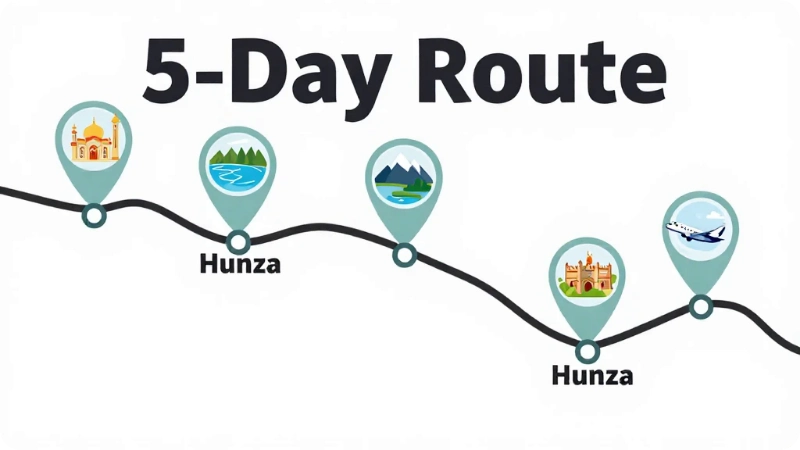
A five-day northern Pakistan plan works best with one base per two days. Because mountain roads are slow, keep the plan light. Drop pins first, then check the drive times in Google Maps. Treat this as a sample only.
| Day | Pins to Add | Pin Color |
| 1 | Islamabad airport, Faisal Mosque, hotel | Purple, Red, Blue |
| 2 | Drive toward Naran or Kaghan, lakeside stops | Green |
| 3 | Karakoram Highway stops, viewpoints | Red |
| 4 | Hunza Valley: Baltit Fort, Eagle’s Nest viewpoint | Red, Green |
| 5 | Return route, cafe stop, flight home | Orange, Purple |
The best months for the north are usually late spring through early fall. Winter can close roads. Check weather and road status before every travel day.
Alternatives to a Pin Map
If a pin map feels like too much, you have simple options. A shared notes list works for short trips. A printed paper map works where phone signal is poor. A travel planner app works if you want bookings and maps together.
For most trips, though, a pin map plus a short checklist works best. It shows distance clearly, and that is something a list cannot do.
FAQs
What is the best free map with pins for travel?
Google My Maps is the best free option for most travelers. It lets you add pins, change colors, build layers, and share the map by link. It also connects to Google Maps on your phone, so your plan goes with you on the road.
Can I use a map with pins for travel on my phone?
Yes. Build the map on a computer for the best control. Then open the Google Maps app on your phone and look under Saved, then Maps. Your pins appear there. Editing on a phone can be limited, so make big changes on a computer.
How many pins can I add to Google My Maps?
Google sets limits on layers and items per map. These limits are high enough for almost any trip. Because Google can change them, check the My Maps help page if you plan a very large map with thousands of pins.
Can I share a travel map with friends and family?
Yes. Click the Share button in Google My Maps. You can invite people by email or send a link. Choose whether they can only view the map or also edit it. Group trips run smoother when everyone can add ideas.
Does a pin map work offline?
Not fully. Google My Maps needs a connection to load. However, you can download offline areas in Google Maps for places with weak signal. Also save screenshots of key pages and addresses. For remote areas, carry a printed backup.
What should I put in each pin note?
Keep notes short and useful. Add the opening hours, a ticket or booking link, a phone number, and one tip. For example, write “arrive early to beat crowds.” Always mark facts that change, and verify them on official sites.
How do I make a world travel map with pins online for free?
Open Google My Maps, create a new map, and zoom out to the full world. Search for each country or city and add a pin. Use one layer for places you have visited and another for dream trips. Share or export it anytime.
Can I import a spreadsheet into a pin map?
Yes. Google My Maps accepts spreadsheets and CSV files. Use one column for the address or place name, then pick it as the pin location. This saves hours when you already have a long list of places in a document.
How do I plan a Pakistan trip with a pin map?
Start by pinning airports, then your main sights, then hotels. Group pins by region, such as Lahore, Islamabad, and the north. Check drive times for each leg. Also review the U.S. Department of State advisory and local weather before you book.
What colors should I use for travel pins?
Use one color per category. A common setup is red for sights, blue for hotels, green for nature, orange for food, and purple for transport. Consistent colors let you read the map at a glance, even on a small phone screen.
Is a pin map better than a travel app?
It depends on your style. A pin map is best for seeing distances and grouping places. A travel app is better for bookings and reminders. Many travelers use both: a pin map for planning and an app for tickets.
Should I print my travel map?
It is smart to print a backup for remote trips. Take a screenshot of your map and print a simple page of key addresses. If your battery dies or signal drops, you will still know where to go.
Conclusion
A map with pins for travel turns scattered ideas into a clear plan. Here are the three big takeaways:
Start with Google My Maps. It is free, flexible, and easy to share.
Use colors and layers. They keep your map clean and easy to read.
Check travel times and official updates. Pins show places, but not road conditions or rule changes.
Start small today. Add ten pins for a trip you dream about, and watch the plan take shape. Whether you head to the mountains of Pakistan or a national park at home, a good map makes every mile feel easier. Open a blank map, drop your first pin, and let the adventure begin.
Maya Lin inspires travelers to explore the globe with absolute confidence and independence. Armed with a background in digital media and a decade of independent solo travel experience, she knows exactly how to navigate unfamiliar cities smoothly and safely. For Travelmarse, Maya curates the solo travel and hidden-gem verticals. She reviews charming boutique hotels, designs smart neighborhood walking routes, and shares practical language-learning hacks, giving readers the exact tools they need to travel solo without the stress.