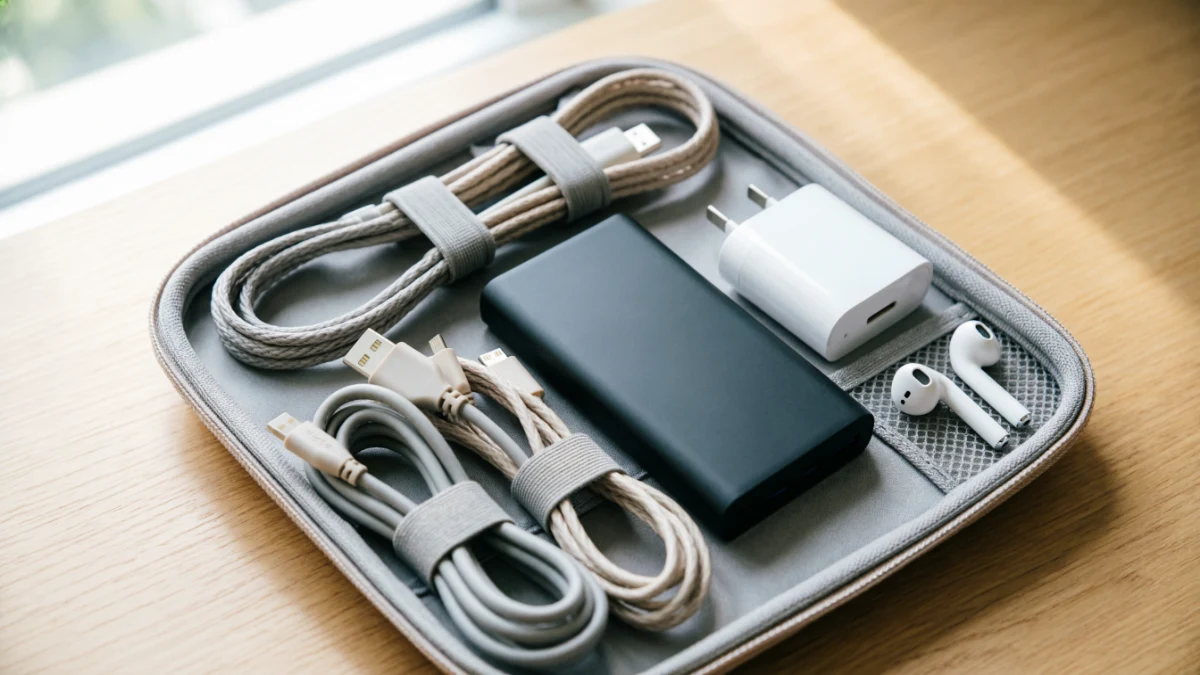
A travel tech case is a compact organizer that keeps chargers, cables, power banks, adapters, and small electronics protected and easy to find. The best travel tech case features a padded hard or semi-rigid shell, elastic cable loops, mesh pockets, and a slim design that fits neatly inside a carry-on or backpack while speeding up airport security screening.
Travelling with phones, laptops, tablets, cameras, and charging accessories is easier than ever, but keeping them organised is another story. Tangled cables, misplaced adaptors, and damaged electronics can quickly turn an exciting trip into a frustrating experience. A quality travel tech case keeps all your essential gadgets in one secure place, making packing simpler and reducing the chance of losing expensive accessories.
If you’re a business traveler, digital nomad, frequent flyer, or family on vacation, choosing the right gadget organizer can save time at airport security, protect your electronics from damage, and make it easier to find what you need throughout your journey. With dozens of sizes, materials, and layouts available, selecting the best option isn’t always straightforward.
This complete guide explains everything you need to know about choosing the best travel tech case for 2026. You’ll learn the different types of organisers, the most important features to look for, TSA rules for carrying electronics, smart packing tips, common mistakes to avoid, and how to pick the perfect case for your travel style and budget. By the end, you’ll be ready to travel with a clutter-free, organised, and well-protected tech setup.
Why Every Traveler Needs One
Loose chargers, tangled cables, and a stray power bank at the bottom of a backpack are common travel frustrations. A travel tech case keeps every gadget in one place. That makes it easier to find what you need and helps protect your electronics from damage. It also reduces the chance of leaving something behind in a hotel room.
A well-organized tech case can also speed up airport security. TSA officers sometimes pull bags for extra screening when tangled cables create a dense mass that is difficult to read on the X-ray scanner. Keeping your cables and accessories neatly arranged helps security officers inspect your bag more quickly.
This guide explains the different types of travel tech cases and the features that are worth paying for. You’ll also learn how to pack your case efficiently and understand what TSA requires when traveling with electronics through a U.S. airport.
Quick Answer:
A travel tech case is a compact, padded organizer that holds chargers, cables, power banks, and small electronics in one place. The best travel tech cases have a hard or semi rigid shell, elastic loops for cords, a mesh pocket for small accessories, and a slim profile that slides into a backpack or carry on without adding bulk.
What Is a Travel Tech Case? Quick Facts
| Feature | What to Look For |
| Shell type | Hard shell (best protection) or soft nylon (lighter, more flexible) |
| Typical size | 8 11 inches long, fits inside a backpack’s main compartment |
| Best material | Water resistant nylon or polyester with YKK style zippers |
| Core features | Elastic cable loops, mesh zip pocket, padded device sleeve |
| Price range | $15 $60 depending on brand and materials |
| Best for | Digital nomads, business travelers, families, photographers |
Types of Travel Tech Cases
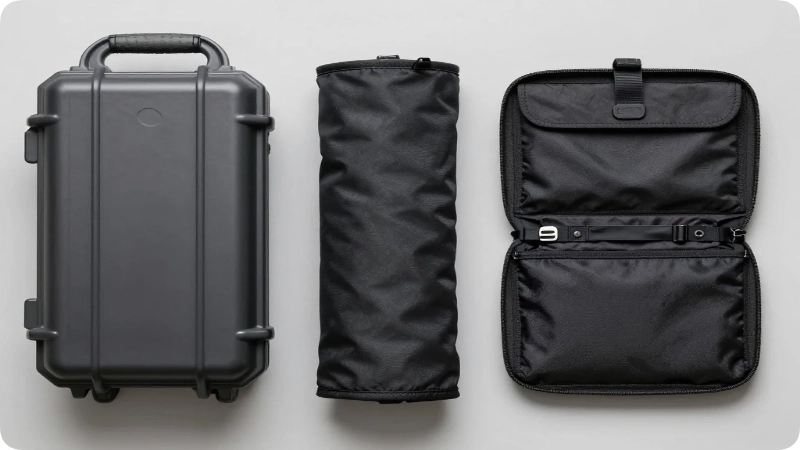
Hard Shell Organizers
Hard shell cases use a semi rigid exterior, similar to a small toiletry case, to protect delicate items like earbuds, SD cards, and portable hard drives from being crushed under heavier luggage. They’re the top pick for anyone checking a bag or gate checking a backpack.
Soft Roll Up Pouches
These lightweight nylon pouches unroll flat so you can see every cable and charger at a glance, then roll back up into a slim cylinder. They’re popular with minimalist packers because they compress down to almost nothing when empty.
Modular Pouch Systems
Modular systems come with 2 4 separate zip pouches of different sizes that snap or clip together. This setup lets you split cables in one pouch, a power bank in another, and adapters in a third, which is useful for travelers juggling gear for multiple devices.
Backpack Integrated Sleeves
Some travel backpacks now build a dedicated tech compartment directly into the bag, with padded sleeves and loops sewn into the lining. This is worth considering if you’re shopping for a new bag anyway, since it removes the need for a separate case entirely.
Key Features to Look For
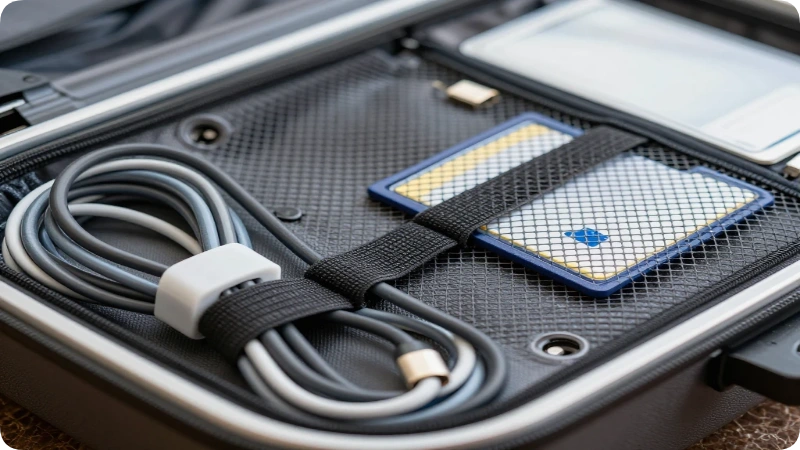
A tech case earns its place in your bag only if it actually solves the problems loose cables create. Prioritize these features over flashy branding or color options.
- Elastic cable loops: Keep charging cords separated so you’re not untangling a knot every time you need one.
- A padded laptop or tablet sleeve: Adds a layer of shock protection if the case doubles as your main electronics carrier.
- A clear or mesh pocket: Lets you spot SIM cards, adapters, and SD cards without unzipping every compartment.
- Water resistant fabric: Protects electronics from spilled water bottles or light rain during transit.
- A flat lay or roll out design: Makes it far faster to find one item instead of digging through a pile.
- A carry handle or loop: Useful for clipping the case to a bag strap or hanging it in a hotel bathroom.
How to Pack a Travel Tech Case
Packing intentionally prevents damage and makes security screening faster. Follow this order for the most efficient setup.
- Coil cables loosely and secure each one in its own elastic loop rather than bundling them together.
- Place your heaviest item on the bottom of the case, such as a laptop charger brick, so lighter accessories aren’t crushed.
- Keep the power bank in an outer pocket since it must stay easily accessible in your carry on.
- Label or color code cables with small tags if you travel with more than one device that uses the same cable type.
- Leave a small gap rather than overpacking, so the case still zips flat and doesn’t bulge inside your bag.
Best Travel Tech Cases by Traveler Type
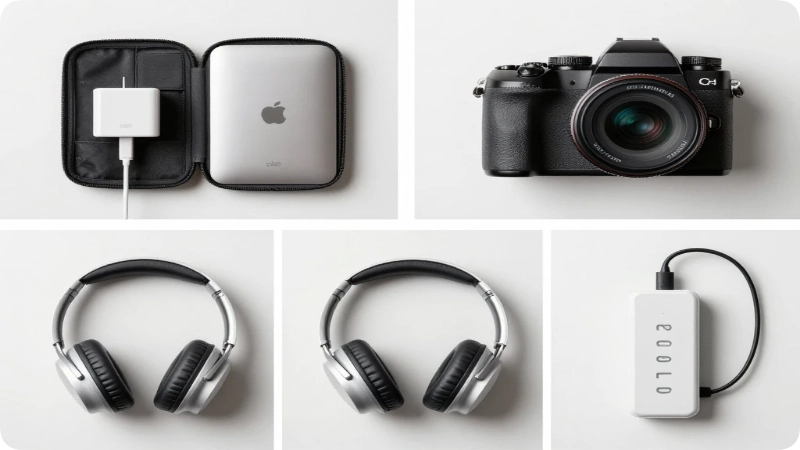
Business travelers generally do best with a slim hard shell case that fits a laptop charger, a mouse, and a couple of adapters, since it slides easily into a briefcase or laptop bag’s front pocket.
Digital nomads typically need a larger modular system that can hold multiple chargers, an external hard drive, and a power strip for co working spaces or extended stays.
Families often benefit from a soft roll up pouch with separate slots for each child’s headphones and tablet charger, cutting down on mid trip “whose cable is this” arguments.
Photographers should prioritize a case with dedicated slots for SD cards, batteries, and a compact charger, since camera gear needs more structured protection than a general pouch provides.
TSA Rules for Electronics in Carry On Bags
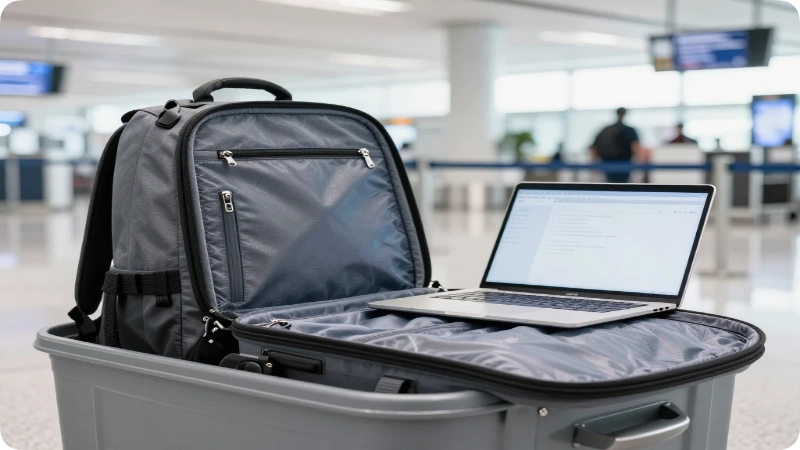
Search demand around travel tech cases is closely tied to airport screening. Knowing the latest TSA rules before you pack can save time and prevent delays.
At most standard security checkpoints, travelers must remove personal electronic devices larger than a cell phone. This includes laptops, tablets, and e-readers. Place each device in its own bin for X-ray screening.
Some airports now use advanced CT scanners. At these checkpoints, you often do not need to remove your electronics because the 3D imaging can see through your bag. Check your departure airport’s screening system before you travel.
TSA PreCheck travelers have an additional benefit. Laptops, tablets, and power banks can usually remain inside the bag during X-ray screening.
Keep your devices charged before heading to the airport. TSA officers may ask you to turn on a phone, laptop, or tablet during screening. If a device cannot power on, it may not be allowed onboard. Charging your electronics to at least 30–50% helps avoid unnecessary delays.
Battery rules are also important. Devices with lithium-ion or lithium-metal batteries, including laptops, smartphones, and tablets, should always travel in your carry-on bag instead of checked luggage. Spare batteries and power banks are allowed only in carry-on baggage because of the fire risk. Most consumer power banks are under the 100 watt-hour limit and do not require special approval. Even so, check the watt-hour rating printed on your power bank before you fly.
TSA and airline policies can change over time. Always confirm the latest travel requirements on TSA.gov before your trip.
Budget Breakdown
| Tier | Price Range | What You Get |
| Budget | $15 $25 | Basic soft pouch, elastic loops, limited protection |
| Mid range | $25 $40 | Semi rigid shell, mesh pockets, water resistant fabric |
| Premium | $40 $60+ | Hard shell, modular pouches, padded device sleeves |
A mid range case is the sweet spot for most travelers, offering solid protection without paying for premium materials you may not need.
Common Mistakes to Avoid
- Buying a case too large for your gear. An oversized case leaves items sliding around inside, which defeats the purpose of organization. Match the case size to your actual gadget count.
- Packing the power bank at the bottom of the bag. Since it needs to be accessible in carry on, bury it and you’ll be digging through everything at the checkpoint.
- Ignoring cable length. Long cables coiled into a small case create pressure points that can wear down the insulation over time. Choose a case sized for your longest cable, or carry a shorter one.
Underrated Alternatives
- A dedicated packing cube with small zip pockets can double as a tech organizer for travelers who don’t want to buy a separate case.
- A hanging toiletry bag with a hook works well for organizing chargers in a hotel room, since it can hang near an outlet instead of sitting on the floor.
- A slim tool roll, normally used for hardware, offers the same cable separation benefit as a purpose built tech roll at a lower price point.
Worth It? Honest Take
A travel tech case is worth it for anyone who travels with more than two devices, since the time saved untangling cables and the reduced risk of a lost charger quickly outweighs the $20 $40 cost. It’s less essential for a traveler carrying only a phone charger, in which case a single zip pouch does the job just as well.
What’s overrated: Cases with excessive built in “smart” features like GPS trackers or solar panels, which add cost and weight most travelers never use. What’s underrated: A simple mesh pocket for small items like SIM cards and earbud tips, which prevents the most common source of lost accessories.
Packing Advice and Responsible Travel Notes
Choose a case made from durable materials so it lasts multiple trips rather than needing replacement every year, which also cuts down on unnecessary waste. When flying internationally, pack a universal adapter inside your tech case rather than buying single use adapters at your destination.
FAQs
Do I need to remove my tech case from my bag at airport security?
It depends on the checkpoint. At standard X ray lanes, larger electronics generally need to come out and go into a separate bin, while newer CT scanner lanes and TSA PreCheck often allow devices to stay inside your bag.
Can I pack my power bank in checked luggage?
No. Power banks and spare lithium batteries must stay in your carry on bag at all times, since they’re banned from checked luggage due to fire risk.
What size travel tech case is best for a carry on backpack?
A case between 8 and 10 inches long fits comfortably in most backpack compartments without adding noticeable bulk, while still holding a charger, cables, and a power bank.
Are hard shell or soft tech cases better for travel?
Hard shell cases offer more protection for delicate items like earbuds and SD cards, while soft roll up pouches are lighter and better suited for minimalist packers who prioritize weight over structure.
How do I stop my cables from tangling in my bag?
Use a case with individual elastic loops for each cable, and coil each cord loosely before securing it rather than bundling multiple cables together.
Do I need to charge my devices before flying?
Yes. TSA officers may ask you to power on a device during screening, and a device that won’t turn on can be denied entry to the secure area, so charge everything to at least 30 50% beforehand.
What’s the difference between a tech case and a packing cube?
A tech case is purpose built with cable loops and padded sleeves for electronics, while a packing cube is a general purpose fabric container meant for clothing or mixed items.
Final Takeaways
A well chosen travel tech case keeps your gadgets organized, protected, and easy to access at security checkpoints. Match the case type to how you travel: hard shell for protection, roll up for minimal packing, or modular for frequent, gear heavy trips. Always keep power banks and charged devices in your carry on, since checked luggage isn’t an option for lithium batteries.
Before your next trip, take ten minutes to sort your cables and chargers into a case that fits your actual gear, and check TSA.gov for any recent updates to electronics screening rules. A little organization now means one less thing to think about at the gate.

Maya Lin inspires travelers to explore the globe with absolute confidence and independence. Armed with a background in digital media and a decade of independent solo travel experience, she knows exactly how to navigate unfamiliar cities smoothly and safely. For Travelmarse, Maya curates the solo travel and hidden-gem verticals. She reviews charming boutique hotels, designs smart neighborhood walking routes, and shares practical language-learning hacks, giving readers the exact tools they need to travel solo without the stress.