
Standing in a foreign airport with no data plan is a familiar travel headache. Roaming fees pile up fast, and hunting for a physical SIM kiosk eats into your first precious hours abroad. That’s exactly why so many travelers now search for how eSIMs work for travel before they even pack a bag.
An eSIM solves this problem digitally. You buy a plan online, scan a QR code, and you’re connected before your plane even reaches the gate in many cases. This guide breaks down exactly how eSIMs function, walks through setup on iPhone and Android, compares costs, and answers the most common traveler questions, from WhatsApp compatibility to roaming settings and which countries still don’t support the technology.
Featured Snippet:
An eSIM (embedded SIM) is a digital SIM built into your phone that you activate by scanning a QR code or installing an app; no physical card needed. It connects to a local or global network for data, letting you get online abroad instantly, often within minutes of landing, while keeping your home number active on your primary SIM.
Quick Facts Table
| Feature | Details |
| What it is | Digital SIM embedded in your device |
| Setup method | QR code scan or carrier app |
| Physical card needed | No |
| Works alongside home SIM | Yes, most phones support dual SIM (eSIM + physical) |
| Typical activation time | 5–15 minutes |
| Common data plans | 1GB to unlimited, 7–30 day durations |
| Compatible devices | iPhone XS and later, most Pixel/Samsung Galaxy flagships (2019+) |
| Where to buy | Airalo, Holafly, Google Fi, carrier websites, airport kiosks (limited) |
Always confirm current pricing and country availability directly with the provider before purchase, since plans and coverage change frequently.
What Is an eSIM Card for International Travel?
An eSIM card for international travel is a small chip already soldered inside your phone that can hold multiple digital SIM profiles. Instead of inserting plastic, you download a travel data plan straight onto that chip.
This matters for international trips because you can buy a local or regional data plan before you land, in the destination country, without hunting for a SIM shop. Many providers sell eSIMs for specific countries or entire regions, like all of Europe or Southeast Asia, in one plan.
Because the chip is reprogrammable, you can delete an old travel eSIM and add a new one for your next destination, keeping your phone free of tiny plastic trays and ejector pins.
How Do eSIMs Work for Travel? Step-by-Step
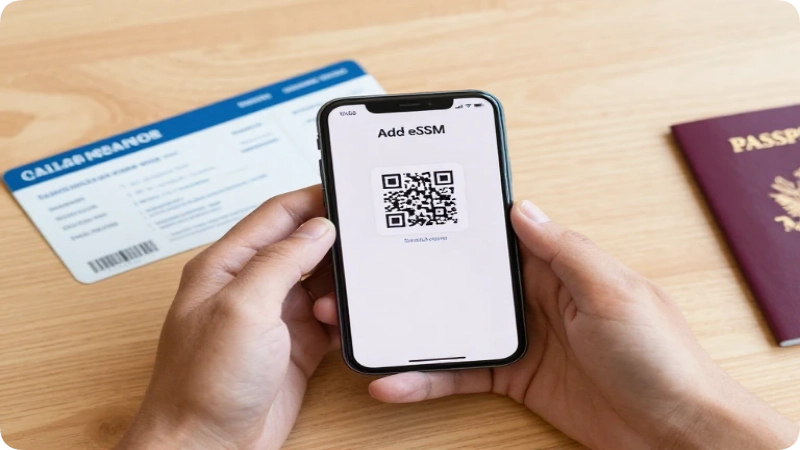
An eSIM works by storing a small activation profile that tells your phone which network to join, and it downloads this profile over WiFi instead of through a physical card. The whole process usually takes less than 15 minutes and can often be done before you even leave home.
Here’s the typical flow:
- Choose a plan from an eSIM provider or your carrier, matched to your destination and trip length.
- Receive a QR code by email almost immediately after purchase.
- Scan the QR code using your phone’s camera or settings menu while connected to WiFi.
- Label the eSIM (e.g., “Travel Japan”) so it’s easy to switch between it and your home line.
- Set the eSIM as your data line and keep your physical SIM active for calls and texts on your home number.
- Land and connect: any eSIMs activate automatically the moment your phone detects the local network.
How eSIMs Work on iPhone
On iPhone (XS or newer, running iOS 12.1+), go to Settings > Cellular > Add eSIM, then scan the QR code from your provider. iPhones let you label each line, choose which one handles data versus calls, and toggle between them without ever touching a tray.
How eSIMs Work on Android
On most Android phones (Pixel 3+, Galaxy S20+, and similar 2019-onward models), the path is Settings > Network & Internet > SIMs > Add eSIM, then scan or manually enter the activation details. Menu wording varies slightly by manufacturer, so search your model name plus “add eSIM” if the menu looks different.
How Do eSIMs Work for Travel: What Reddit Travelers Say
Travel forums and Reddit threads on this topic tend to circle back to the same practical advice: buy the eSIM a day or two before departure, test the QR code activation while still on home WiFi, and keep the physical SIM installed as a backup for calls.
Frequent forum tips also include checking if the destination country actually supports eSIM before buying, since coverage gaps still exist in a handful of nations. Threads generally agree that eSIMs save money on short trips but note that heavy data users on long trips sometimes still find local physical SIMs cheaper per gigabyte.
Is an eSIM Good for International Travel?
Yes, an eSIM is generally a good idea for international travel because it activates quickly, avoids roaming charges, and lets you keep your home number reachable on a second line. It’s particularly useful for trips under a month where convenience matters more than squeezing out the lowest possible per-gigabyte price.
Who it’s best for:
- Short-to-medium trips (a few days to a few weeks)
- Travelers who want data working before they land
- People visiting multiple countries on one trip (regional plans)
- Anyone who doesn’t want to lose their home number mid-trip
Who might want an alternative:
- Travelers with very old or budget phones that lack eSIM support
- Extremely long-term expats who need the cheapest possible local rate
- Visitors to a handful of countries where eSIM support is still limited
What Are the Disadvantages of an eSIM?
The main disadvantages of an eSIM are device dependency, limited phone-swapping flexibility, and occasional setup friction for less tech-savvy travelers. Because the SIM is built in, you can’t simply pop it into a spare phone if your primary device breaks or dies.
Other downsides worth knowing:
- No physical backup: If your phone is lost, stolen, or bricked, you can’t move the eSIM to another handset as easily as pulling out a physical card.
- Requires WiFi to activate: most eSIMs need an internet connection to install, so setup ideally happens before you leave home.
- Device compatibility gs: er or budget-tier phones simply don’t support eSIM technology.
- Some plans are data-only m: travel eSIMs don’t include a local phone number for calls or texts.
What Is the Downside of eSIM (Beyond Travel)?
Outside of travel specifically, the same downside applies day-to-day: switching phones takes an extra activation step compared with moving a physical card, and not every retailer or secondhand phone market fully supports eSIM-only devices yet.
Is There Any Reason Not to Use an eSIM?
Yes, ifif you’reraveling somewhere with unreliable WiFi for setup, own an older phone, or need a backup SIM you can physically hand to someone else, a traditional SIM card may still serve you better.
eSIM vs Physical SIM: Which Is Safer?
Both eSIMs and physical SIMs are considered similarly safe from a network security standpoint, but eSIMs have a practical safety edge because they can’t be physically removed if your phone is stolen. A thief can’t simply eject the SIM and insert it into another device to use your line.
Physical SIMs remain the more flexible option if you regularly swap phones or need a card you can hand off. For most travelers, though, the eSIM’s tamper-resistance and quick remote deactivation make it the slightly safer everyday choice.
Is eSIM Safe for Banking?
Yes, using an eSIM is just as safe for mobile banking as a physical SIM, since it’s the phone’s overall security (passcode, biometrics, banking app encryption) that protects your accounts, not the SIM format itself. The eSIM simply provides the data connection.
That said, standard travel security habits still apply: avoid banking over unsecured public WiFi, keep your banking app updated, and enable two-factor authentication so a compromised SIM alone can’t unlock your accounts.
eSIM and Roaming: What You Need to Know
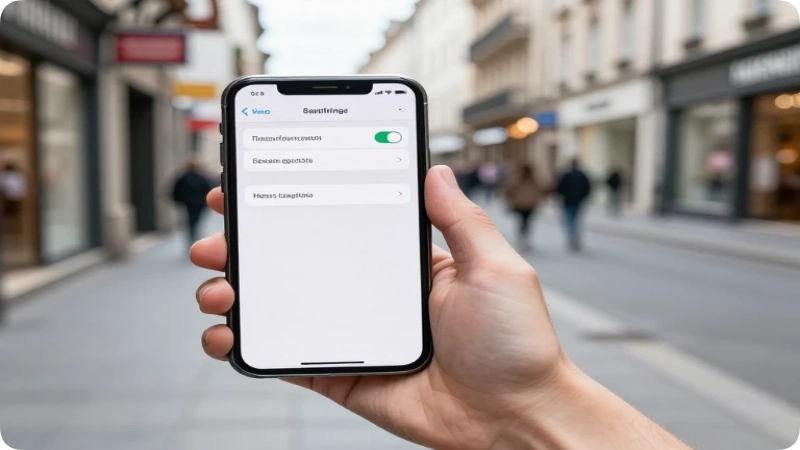
Do You Turn Off Roaming When Using eSIM?
Not usually. If your eSIM is a local or regional data plan for the country you’re visiting, you actually need data roaming turned ON for that specific eSIM line, since “roaming” in this context just means connecting to a partner network abroad. However, you should turn off roaming on your home SIM to avoid accidental home-carrier charges.
Should I Turn Off Roaming If I Have an eSIM?
Turn off roaming on your primary home-carrier SIM, but leave it enabled on the travel eSIM line. This combination lets your eSIM connect locally while blocking expensive charges from your original carrier.
Is International Roaming Better Than eSIM?
For most travelers, no. Traditional carrier roaming is typically far more expensive per gigabyte than a prepaid travel eSIM, though it does offer the convenience of zero setup. eSIMs generally win on cost for trips longer than a couple of days.
Do I Turn Off Airplane Mode When Using eSIM?
Yes, you still need airplane mode off (or WiFi/cellular data on) for the eSIM to connect once you land. Airplane mode blocks all cellular signals, including the eSIM’s connection to the local network.
Do I Turn Off the Primary SIM When Using eSIM?
You don’t have to turn it off completely, but you should disable data roaming on the primary SIM and set your new eSIM as the default data line. Many travelers keep the primary SIM active only for calls and texts.
Do I Need to Turn Off Data When Using eSIM?
You should turn off cellular data on your home SIM specifically, not on the eSIM. This prevents your phone from accidentally switching to the expensive home network for data while still letting the eSIM handle browsing and maps.
eSIMs and WhatsApp While Traveling

An eSIM works with WhatsApp the same way a physical SIM does, because WhatsApp verifies your account through your phone number once and then runs over any internet connection, WiF, i or mobile data. Swapping to a travel eSIM does not log you out or change your WhatsApp number.
Can I Still Use WhatsApp With an eSIM?
Yes. As long as your phone number stays the same (it does, since your eSIM is a separate data line), WhatsApp continues working normally with all your existing chats and contacts intact.
Can I Use WhatsApp Overseas Without Roaming?
Yes, you can use WhatsApp overseas without any cellular roaming at all, since it only needs an internet connection; a hotel WiFi network, an eSIM data plan, or a local WiFi hotspot all work equally well.
Is There a Free eSIM That Can Use WhatsApp?
Some providers offer small free trial eSIMs (often 1GB or less) mainly to test compatibility, and WhatsApp will work fine over that limited data. For a full trip, though, most travelers still need a paid data plan since free allowances run out quickly.
What Is the Difference Between WhatsApp and an eSIM?
WhatsApp is a messaging app that runs over the internet, while an eSIM is the digital SIM technology that can provide that internet connection through mobile data. One is the tool you chat with; the other is the connection that powers it.
Can I Receive Calls on an eSIM?
Yes, if your eSIM plan includes voice and SMS service and not just data. Many budget travel eSIMs are data-only, so check the plan details before you travel if receiving calls or texts on that number matters to you. Otherwise, apps like WhatsApp or FaceTime can handle calls over data instead.
Can I Use an eSIM in Two Different Countries?
Yes, in two main ways. First, many providers sell regional eSIMs that cover multiple countries under one plan, ideal for multi-stop trips through, say, several European nations. Second, most modern phones support multiple stored eSIM profiles, so you can install a separate eSIM for each country and switch between them in your settings.
Which eSIM Works All Over the World?
No single eSIM plan covers literally every country, but several providers offer “global” plans spanning 100+ countries, useful for round-the-world trips or frequent business travel. Coverage, speed, and pricing vary by region even within these global plans, so check the specific country list before buying.
How Many GB of eSIM Data Do I Need for 2 Weeks?
Most travelers comfortably manage two weeks abroad with 10–20GB of data, assuming regular use of maps, messaging apps, social media, and occasional video calls. Light users who rely mostly on hotel WiFi can often get by with 5GB, while heavy streamers or remote workers may want 30GB or more.
| Usage Style | Recommended Data for 2 Weeks |
| Light (maps, messages) | 5–8GB |
| Moderate (social media, some streaming) | 10–15GB |
| Heavy (video calls, streaming, hotspot use) | 20–30GB+ |
How Much Does an eSIM Usually Cost?
eSIM travel plans generally range from a few dollars for a small 1GB short-trip plan up to $30–$60 for larger regional or unlimited-data packages, though exact pricing depends heavily on the destination, data allowance, and provider. Popular tourist regions like Europe or Southeast Asia tend to have more competitive pricing than remote destinations.
Because eSIM pricing changes frequently and varies by promotion, always check the provider’s current listed price at checkout rather than relying on older articles or screenshots.
Best eSIM for International Travel (What to Look For)
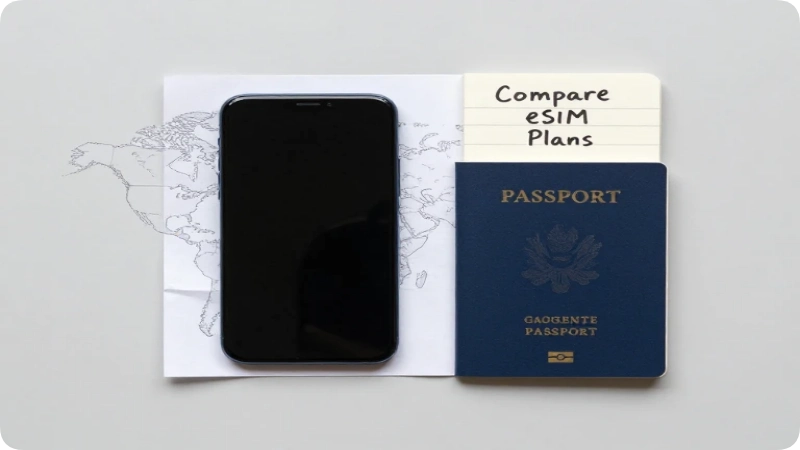
Rather than one universal “best” eSIM, the right choice depends on your destination, trip length, and how much data you’ll realistically use. Well-known names in the travel eSIM space include Airalo, Holafly, Google Fi, and various carrier-branded international planseachhch with different strengths around unlimited data, regional coverage, or price per gigabyte.
When comparing options, check:
- Country and regional coverage
- Data allowance and validity period
- If the plan includes a phone number for calls/texts
- Customer support responsiveness if activation fails
- Real, current reviews rather than outdated pricing pages
Which eSIM Is Best for Travel to Pakistan?
For travel to Pakistan specifically, look for providers that explicitly list Pakistan under their coverage map, since not every global eSIM includes it. Compare local Pakistani carrier eSIM options against international providers for the best mix of price and network reliability, and verify current 4G/5G coverage in the specific cities on your itinerary.
eSIM With Unlimited Data for International Travel
Some providers offer “unlimited” data eSIMs for travel, though many of these plans include a fair-use cap or throttle speeds after a certain threshold (often 20–50GB) rather than being truly limitless. Always read the fine print on what “unlimited” actually means for a given plan before assuming unrestricted high-speed use.
Which Countries Do Not Allow eSIM?
A small number of countries either restrict or don’t yet support eSIM technology for regulatory or infrastructure reasons; the list changes periodically as carriers roll out support. Since eSIM regulations shift over time, always check your specific destination’s current eSIM availability directly with a provider or your destination country’s telecom authority before departure rather than relying on a fixed list.
Can You Convert an eSIM Back to a Normal SIM?
You can’t literally convert the eSIM chip itself back into a plastic card, but you can simply stop using the eSIM profile and switch back to relying on your physical SIM at any time. Most phones let both exist simultaneously, so switching back is just a settings toggle.
What Happens If I Cancel My eSIM?
If you cancel or delete an eSIM profile, you lose access to that specific data plan and number (if it had one), and you’ll need to reinstall a new profile to use that provider again. Most travel eSIMs are prepaid and simply expire naturally at the end of their validity period, so many travelers don’t cancel manually atll ; they just let the plan lapse and delete the profile later to free up storage slots.
Common Mistakes Travelers Make With eSIMs (and How to Fix Them)
- Buying the eSIM after landing, with no WiFi to activate it. Fix: purchase and install the profile while still on home WiFi, even if you delay activating the actual data plan until arrival.
- Forgetting to set the travel eSIM as the default data line. Fix: double-check cellular settings so data routes through the new eSIM, not the home SIM.
- Assuming “unlimited” always means uncapped full-speed data. Fix: read the plan’s fair-use policy before relying on it for heavy streaming.
eSIM Alternatives for Travelers
If an eSIM doesn’t fit your trip, a few alternatives remain worth considering:
- Local physical SIM cards, often cheapest for long stays in one country
- Pocket WiFi rental devices, useful for groups sharing one connection
- International roaming add-ons from your home carrier, simplest but usually priciest
- Free WiFi-only travel, viable for very light users sticking near hotels and cafés
Sample Scenario: A 2-Week Trip Using an eSIM
Imagine flying from the U.S. to Italy for two weeks. A traveler buys a 15GB regional Europe eSIM a few days before departure, scans the QR code while still on home WiFi, and labels it “Italy Trip.” On landing, they switch on data roaming for that eSIM line only, keep their home SIM’s roaming off, and are online by the time they clear customs n iosk line, no paperwork.
FAQs
Do I need a new phone to use an eSIM for travel?
No, as long as your current phone supports eSIM (iPhone XS or later, most 2019+ Android flagships), you can use the feature without buying new hardware. Check your model’s specs if you’re unsure.
Can I use an eSIM without WiFi?
You generally need WiFi or another data connection just to install the eSIM profile initially. After it’s installed and activated, it runs on its own cellular signal without needing WiFi.
Will my eSIM work as soon as I land?
Often yes, if you installed it before departure and enabled it upon arrival, any activate within minutes of detecting the local network. Some plans, however, have a scheduled start date, so confirm activation timing at purchase.
Can I use multiple eSIMs at once?
Most modern phones can store several eSIM profiles but typically only run one or two active at a time (often one eSIM plus one physical SIM). Check your specific device’s dual-SIM limits.
What happens to my eSIM data if I go over my plan?
Most prepaid travel eSIMs simply stop providing data or throttle speed once you hit the limit, rather than charging extra automatically. You can usually top up or buy an additional data package through the provider’s app.
Which is safer, SIM or eSIM?
Both are similarly secure on modern networks, but eSIMs have a slight edge because they can’t be physically removed and reused if your phone is stolen.
How do eSIMs work for travel if my phone is dual SIM already?
If your phone already supports dual SIM with one physical slot and one eSIM slot, you simply add the travel eSIM as the second line and keep your existing physical SIM in place changes to your current setup are required.
Conclusion
eSIMs have made getting connected abroad faster and simpler than ever: no SIM shop lines, no fumbling with tiny trays, and often a working data connection before you even leave the airport. The trade-offs device compatibility and no physical backup are minor for most modern travelers compared to the time and money saved.
Before your next trip, check that your phone supports eSIM, compare a couple of providers for your specific destination, and install your plan a day or two early so you land ready to go. A little prep now means one less thing to worry about once you touch down.

Stephen Fry brings an insatiable curiosity for history, language, and global heritage to the Travelmarse team. Having spent decades traveling the globe to study regional storytelling and ancient civilizations, he excels at uncovering the hidden narratives of modern destinations. Stephen anchors the cultural vertical on Travelmarse, where he writes deep-dive guides on architectural history, museum crawl strategies, and local customs. His vivid, engaging writing helps travelers look past the surface and truly understand the heritage of the places they visit.